The buzzer, retired.
Guests scan, sit down, and get called on their own phone. You get the numbers on your kitchen.
 iPhone
 AndroidNo app to download

 your logo herepartner logopartner logo
Know your kitchen better than your competitors know theirs.
Every order is timed from the moment it’s placed to the moment it’s collected, and every guest is counted. Your dashboard turns that into decisions.
 SEAR · The Drive
When your kitchen is busiest
Orders per hour. Hover or tap a square.
Wait time through the evening
Median minutes, order to ready.
Returning guests vs new guests
Guests are matched by phone number, never by name.
Your regulars
Guests who ordered three times or more, ready for your next offer.
Orders per day
Every order registered through your code.
Kitchen speed, by day
Median minutes from order to message.
Branches side by side
For chains: every branch on one screen.
Customers and offers
Search by phone, busiest first. Only opted-in guests can be sent offers.
Sample data, shaped like a real restaurant week.
One order at SEAR, start to finish.
Scans the code on the counter.
The camera opens SEAR’s own page straight away. On iPhone it opens as an App Clip; on Android, in the browser. Nothing to download.
Scan. Sit. We’ll call you.
 Powered by OrderUp
Types the order number from the receipt.
Order number and phone number, that’s all. Then they sit down.
Powered by OrderUp
The order lands on the order board.
This is SEAR’s real order board, on any tablet, phone or computer at the pass. New orders appear the second guests register them, and turn amber, then red, if they wait too long.
Order boardLiveTiming 15 / 25 minOrder board
Powered by OrderUpFood’s up. Staff tap Order ready.
Tap the order, then Order ready. It moves to Messaged, not collected, and the guest’s phone rings. Order received clears it once it’s handed over.
Order boardLiveTiming 15 / 25 minOrder board
Powered by OrderUpTheir phone tells them, wherever they’re sitting.
A notification, the Lock Screen and the Dynamic Island light up with SEAR’s name and their number. They walk up, you hand it over.
ReadyStop shouting numbers across the room.
Every order calls its own guest, quietly, on the phone in their pocket.
Every guest. Every phone.
iPhone or Android, new or old, the guest gets the same call without downloading anything.
Same room, same rush. Drag to compare.
Without OrderUp, guests wait standing at pickup. With OrderUp, they wait at their table and only the guest whose order is ready walks up.
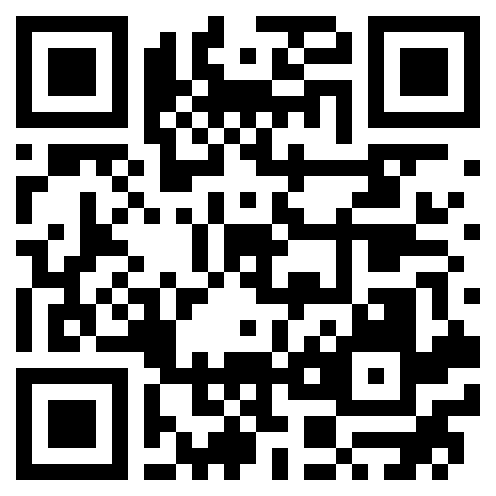
Don’t take our word for it. Take your phone out.
Scan with your camera and place a demo order with any number. On iPhone, the OrderUp App Clip opens with nothing to install. About 20 seconds later, your phone gets the same call a SEAR guest gets.
- 01Scan the code
- 02Type any order number
- 03iPhone: tap Open on the App Clip card. Android: allow alerts
- 04Put your phone away and wait
On your phone already? Open the demo restaurant.
Watch a Friday rush run itself.
SEAR’s order board through a busy evening: orders land, turn amber if they wait, get called, and clear once handed over. Nobody crowds the counter.
Order boardLiveTiming 15 / 25 minPowered by OrderUpA simulation of a busy service, not live data.
Your brand. Your words. Their Lock Screen.
Try it: rewrite SEAR’s message, then press Order ready. The tap lands on the order board, and the guest’s Live Activity and notification update.
Questions owners ask
Do guests need an app?
No. iPhone opens it as an App Clip with no install. Android works from the browser.
What do I need at the counter?
The printed code we give you, and any tablet or computer for the order board.
How long is set-up?
Usually a day: your branded page, staff logins and printed codes.
Arabic?
Yes. Guests see Arabic or English, whichever their phone uses.
Whose are the guest details?
Yours. Never sold or shared, and phone numbers are deleted after three years.
Several branches?
Each branch gets its own order board, code and logins, all under one chain.

Let’s talk about your counter.
Book a meeting at a time that suits you, or call or email us. We’ll show you OrderUp working on your own phone, in your brand.